---
title: Workflows (Candidate/Team)
description: In this article you will learn to navigate/edit the Workflows section of your settings.
---
[Skip to content](https://support.humaniz.io/migration/workflows-candidate-team#main-content)
English
Show submenu for translations
![65b91ee870714b234cc43b39\_Dark on Light Logo.svg\]](https://support.humaniz.io/hubfs/65b91ee870714b234cc43b39_Dark%20on%20Light%20Logo.svg)
- Home
- Products
- Pricing
- Blog
- Company
Open main navigation
Close main navigation
- Home
- Products
- Pricing
- Blog
- Company
- English
Show submenu for translations
- www.humaniz.io
www.humaniz.io
Grow and manage your real estate team with ease
- There are no suggestions because the search field is empty.
1. [Knowledge Base](https://support.humaniz.io/migration?hsLang=en)
2. [Getting Started](https://support.humaniz.io/migration/getting-started?hsLang=en)
# Workflows (Candidate/Team)
## In this article you will learn to navigate/edit the Workflows section of your settings.
Log in to your Humaniz.io account using your registered email address.
From your **Dashboard**, you will select **Settings**, and then select either **Candidate** or **Team** depending on desired input.
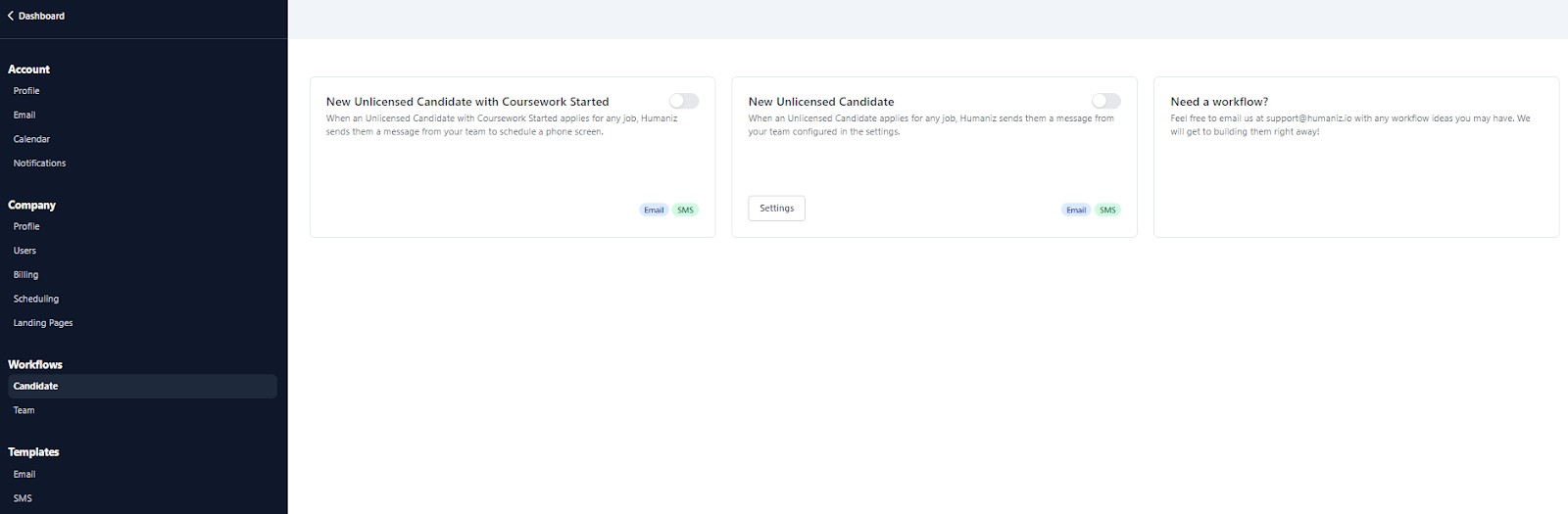
Under **Candidate**, you will see options to enable or disable notifications for **Unlicensed Candidates with Coursework Started**, and **Unlicensed Candidates**.
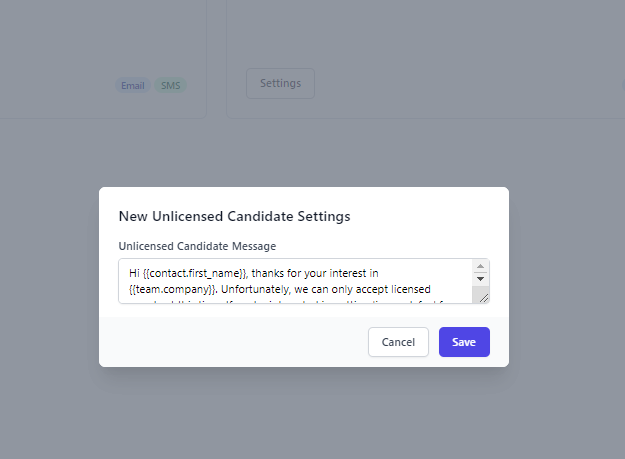
To edit the message that automatically goes out to unlicensed candidates, Click on **Settings**, and you will be able to edit to your preferences.
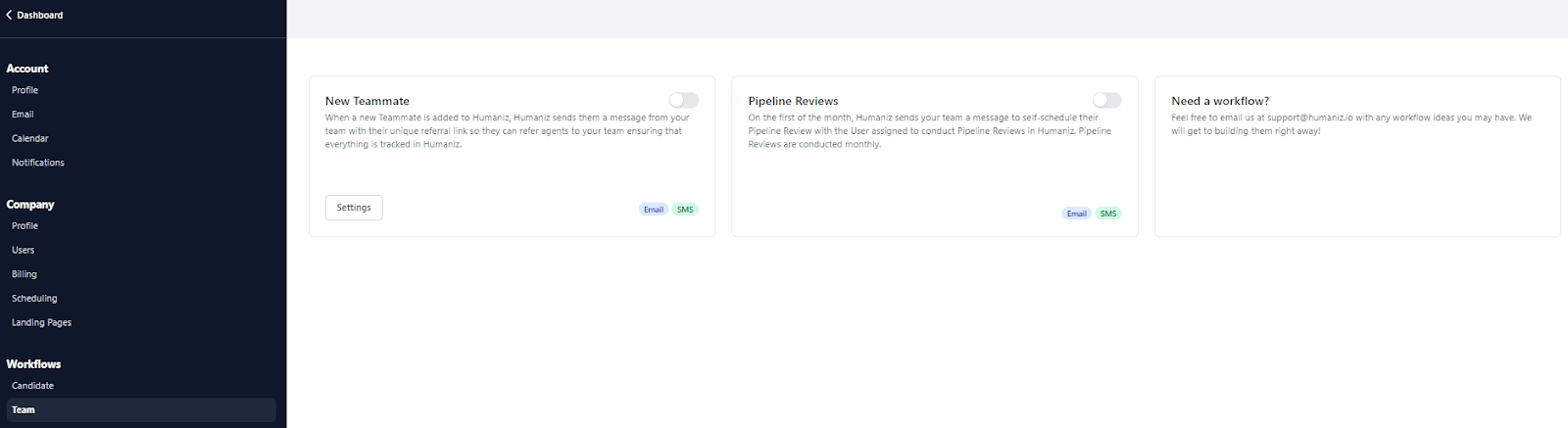
Under **Team**, you will see two preset options.
**New Teammate** - When a new Teammate is added to Humaniz, Humaniz sends them a message from your team with their unique referral link so they can refer agents to your team ensuring that everything is tracked in Humaniz.
**Pipeline Reviews** - On the first of the month, Humaniz sends your team a message to self-schedule their Pipeline Review with the User assigned to conduct Pipeline Reviews in Humaniz. Pipeline Reviews are conducted monthly.
Need a workflow? Feel free to email us at support@humaniz.io with any workflow ideas you may have. We will get to building them right away!
- [Getting Started](https://support.humaniz.io/migration/getting-started?hsLang=en#main-content)
- [Account](https://support.humaniz.io/migration/getting-started?hsLang=en#account)
- [Company](https://support.humaniz.io/migration/getting-started?hsLang=en#company)
- [Candidate Management](https://support.humaniz.io/migration/getting-started?hsLang=en#candidate-management)
- [Team Management](https://support.humaniz.io/migration/getting-started?hsLang=en#team-management)
- [Templates](https://support.humaniz.io/migration/getting-started?hsLang=en#templates)
- [Recruiting](https://support.humaniz.io/migration/recruiting?hsLang=en)
- [Team Management](https://support.humaniz.io/migration/team-management?hsLang=en)
- Home
- Products
- Pricing
- Blog
- Company
# Humaniz, Inc.
Copyright Humaniz, Inc. 2024
Copyright © 2026, Humaniz, Inc.