---
title: How to Add/Edit Email Templates
description: In this article you will learn how to edit your email templates within your Humaniz.io account
---
[Skip to content](https://support.humaniz.io/migration/how-to-add-or-edit-email-templates#main-content)
English
Show submenu for translations
![65b91ee870714b234cc43b39\_Dark on Light Logo.svg\]](https://support.humaniz.io/hubfs/65b91ee870714b234cc43b39_Dark%20on%20Light%20Logo.svg)
- Home
- Products
- Pricing
- Blog
- Company
Open main navigation
Close main navigation
- Home
- Products
- Pricing
- Blog
- Company
- English
Show submenu for translations
- www.humaniz.io
www.humaniz.io
Grow and manage your real estate team with ease
- There are no suggestions because the search field is empty.
1. [Knowledge Base](https://support.humaniz.io/migration?hsLang=en)
2. [Getting Started](https://support.humaniz.io/migration/getting-started?hsLang=en)
3. [Templates](https://support.humaniz.io/migration/getting-started?hsLang=en#templates)
# How to Add/Edit Email Templates
## In this article you will learn how to edit your email templates within your Humaniz.io account
Log in to your Humaniz.io account using your registered email address.
From your Dashboard, select **Settings** and then under Templates select **Email**.
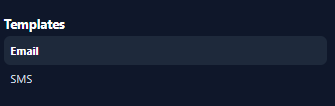
To Edit an existing email template, select **Edit** on desired email template.

To create a new email template, click on “**New +**” in the top right corner of the templates interface.

To delete a template, click on **Delete** in the lower left hand corner of the template which you desire to delete.

If you have any questions about email templates, please contact Humaniz.io support.
- [Getting Started](https://support.humaniz.io/migration/getting-started?hsLang=en#main-content)
- [Account](https://support.humaniz.io/migration/getting-started?hsLang=en#account)
- [Company](https://support.humaniz.io/migration/getting-started?hsLang=en#company)
- [Candidate Management](https://support.humaniz.io/migration/getting-started?hsLang=en#candidate-management)
- [Team Management](https://support.humaniz.io/migration/getting-started?hsLang=en#team-management)
- [Templates](https://support.humaniz.io/migration/getting-started?hsLang=en#templates)
- [Recruiting](https://support.humaniz.io/migration/recruiting?hsLang=en)
- [Team Management](https://support.humaniz.io/migration/team-management?hsLang=en)
- Home
- Products
- Pricing
- Blog
- Company
# Humaniz, Inc.
Copyright Humaniz, Inc. 2024
Copyright © 2026, Humaniz, Inc.